
How to Edit Your Target Allocation
We hope this is not often but there may be instances when you need to change your portfolio's target allocation. For example, you may have increased or decreased your appetite for risk or there may be a new stock you'd like to add to your portfolio.
Note: If you purchase assets on your broker's platform after setting up your target allocation in Passiv, you will need to add it to your target portfolio. You can then decide to exclude or include it in your target portfolio. If you do nothing, it will throw off your portfolio's accuracy and be sold if you have "selling" enabled when rebalancing.
Edit a model assigned to a portfolio group*
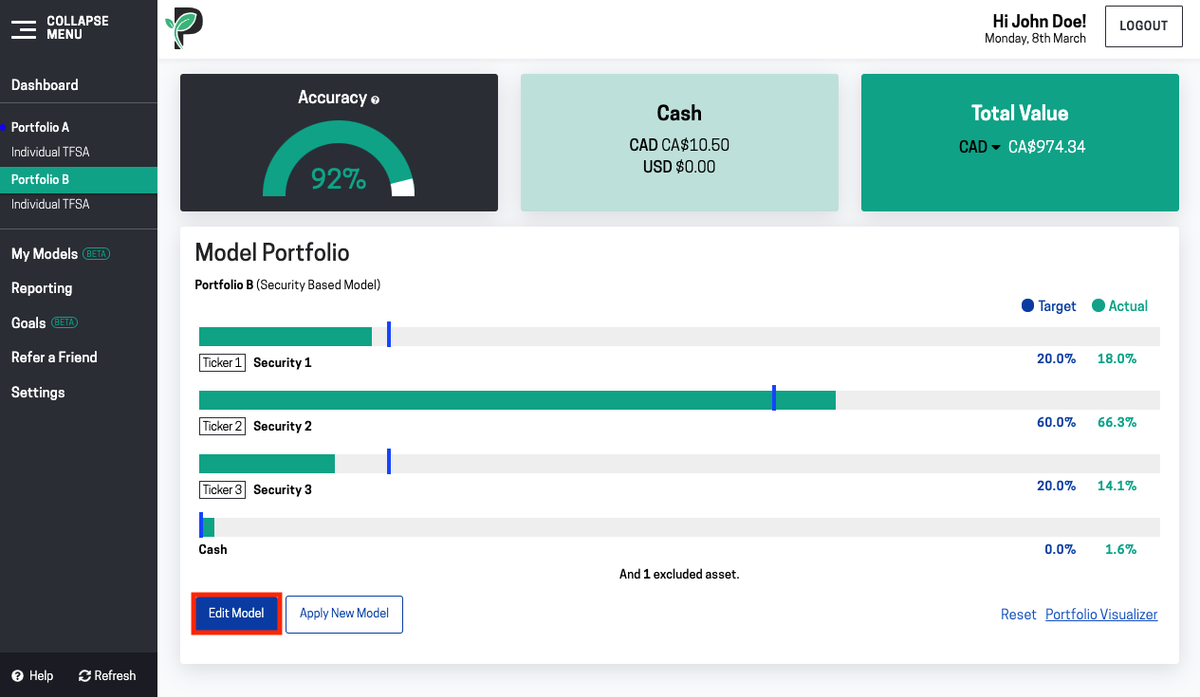
Go to the Overview page of the portfolio group you want to edit. Scroll down and click Edit Model.

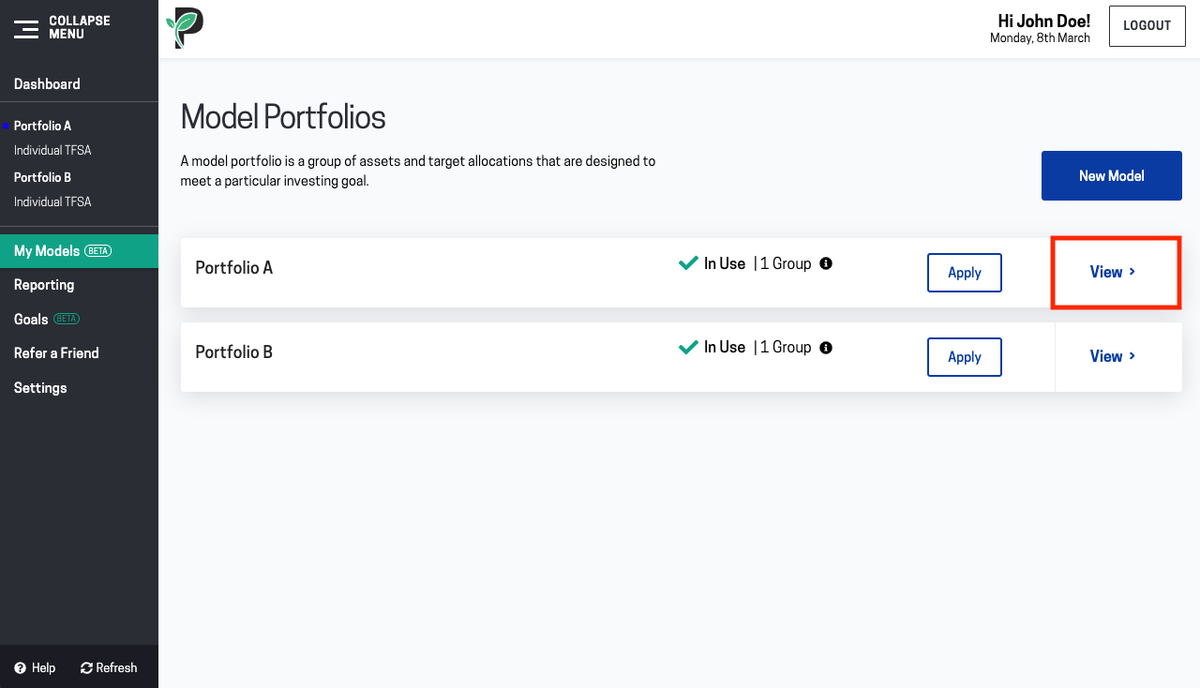
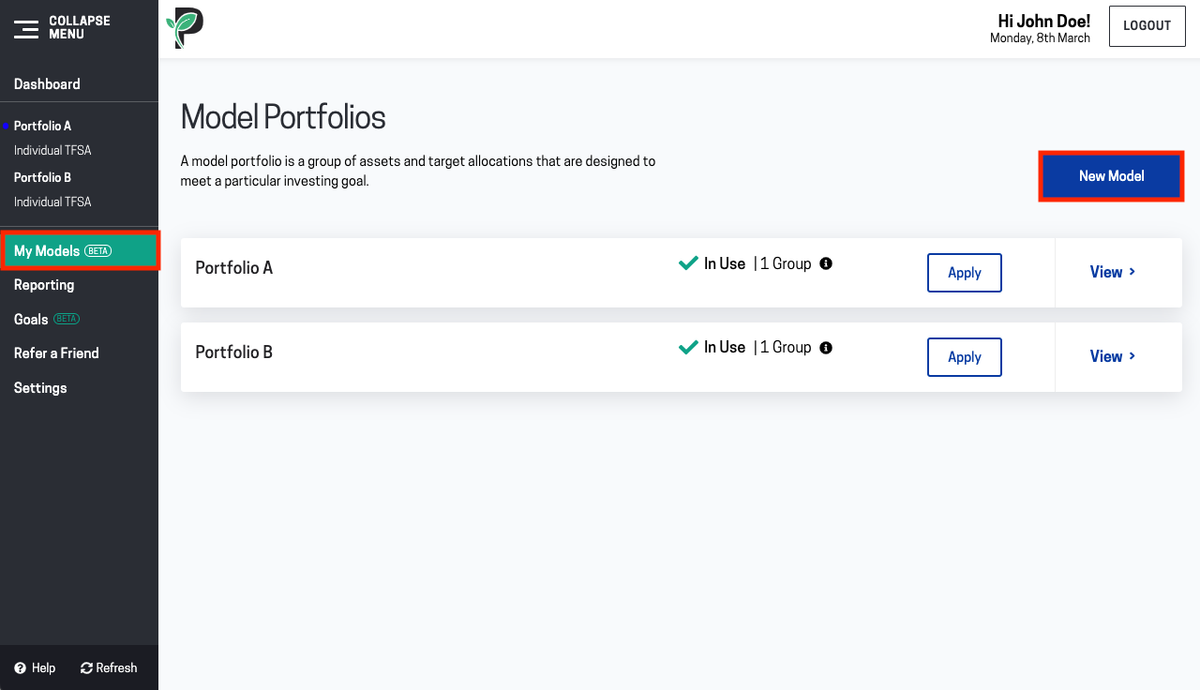
You can also click on My Models, then click View on the Model you want to edit.

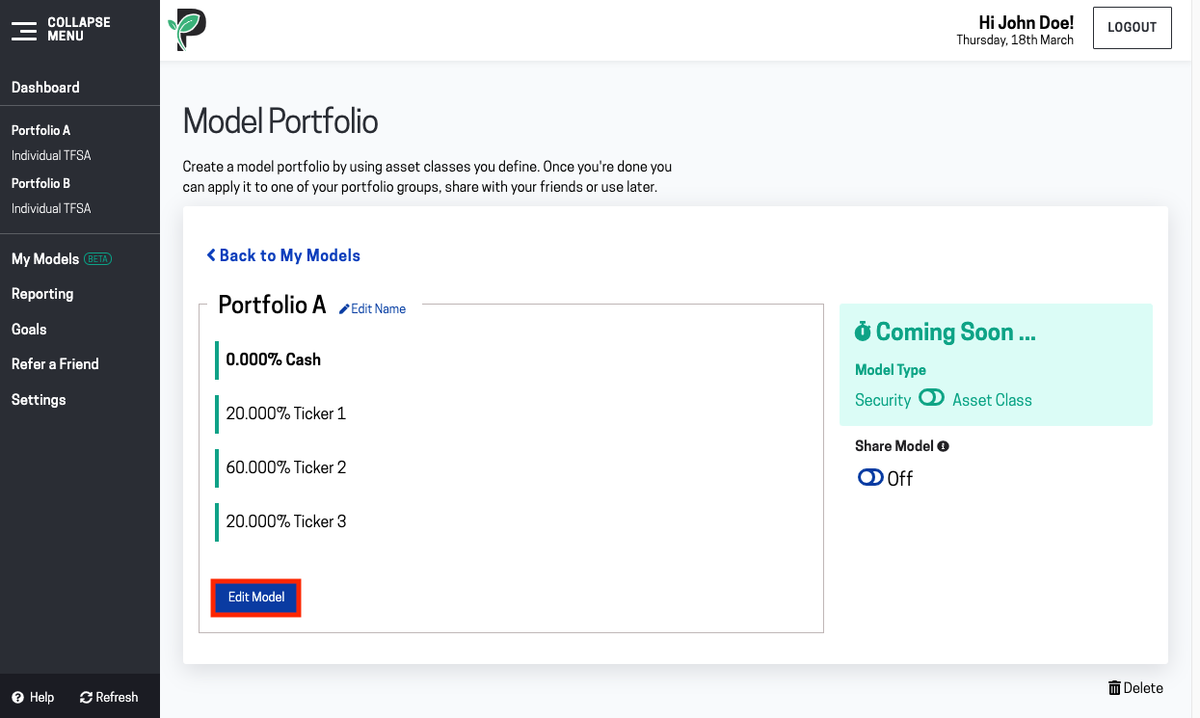
You can edit your model’s name by clicking Edit Name.
Click the Edit Model button to edit assets and allocations.

You can edit the percentages you want to allocate to each asset, add new assets, and assign a percentage allocation to them. Press enter to add the line to your Model. You can also delete assets you don’t want in your model anymore.

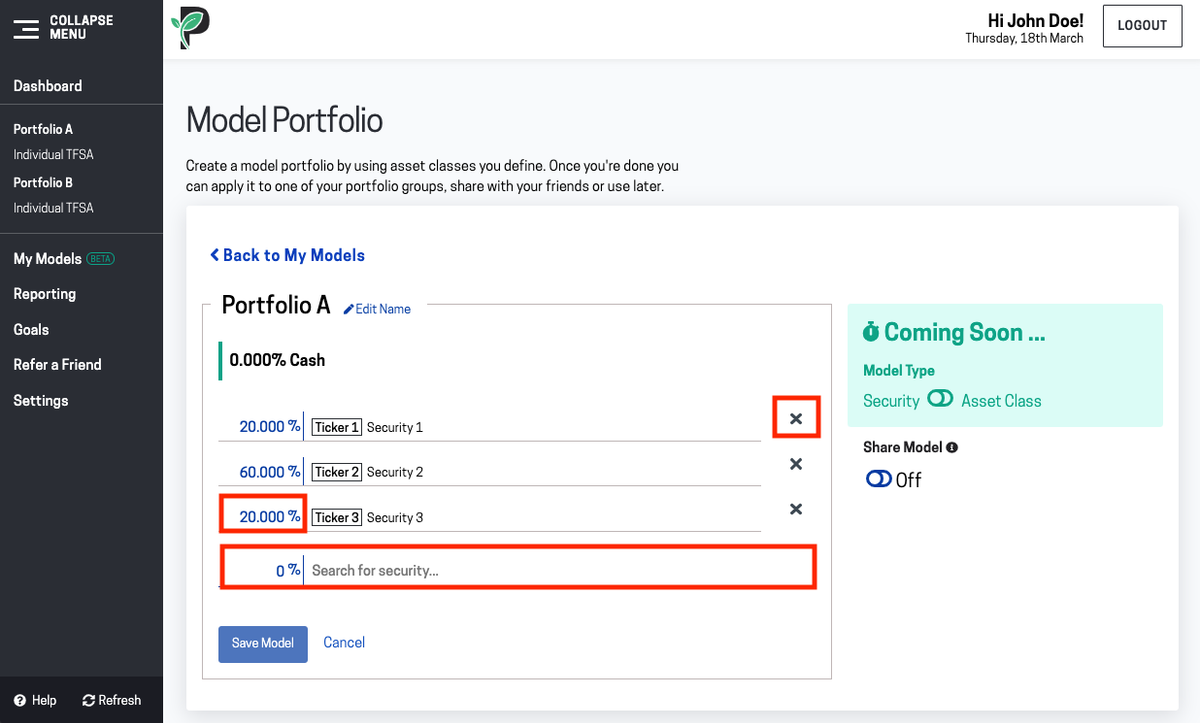
When you are done click Save Model.
* At the moment, if you need to edit a model portfolio that is applied to more than one portfolio group, you’ll need to create a new model, or duplicate one of your models and then apply it to the portfolio.
Apply another model to a portfolio group
Option 1:
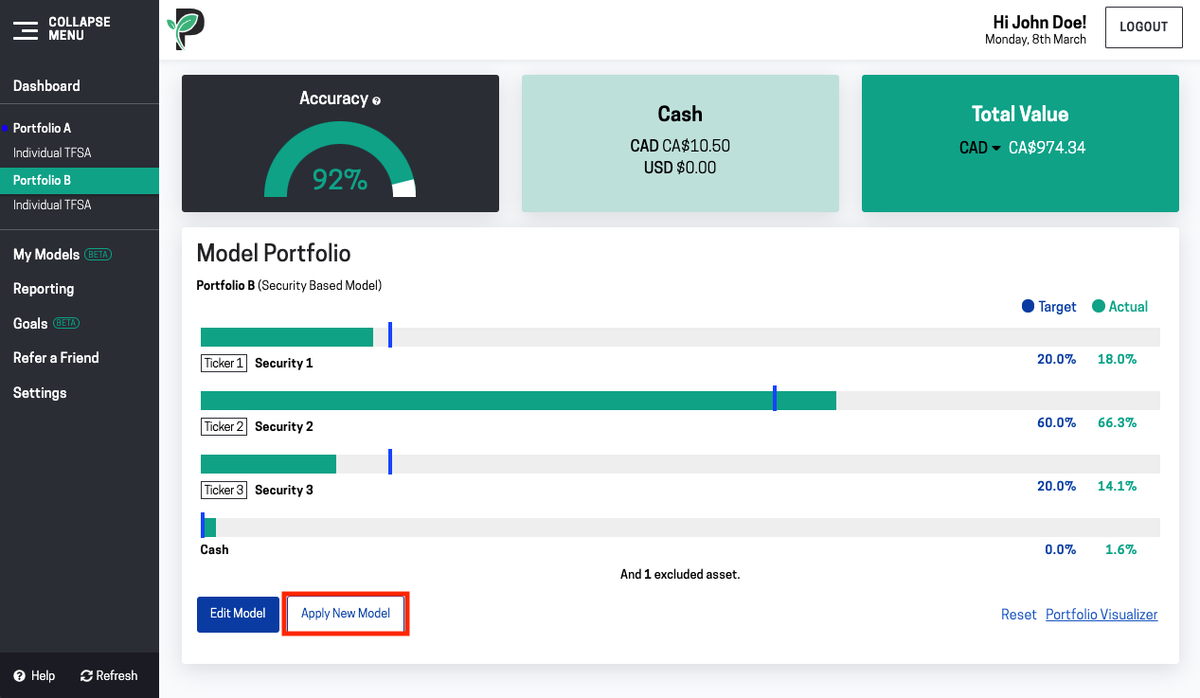
Go to the portfolio group you want to apply the New Model to, scroll down and click Apply New Model.

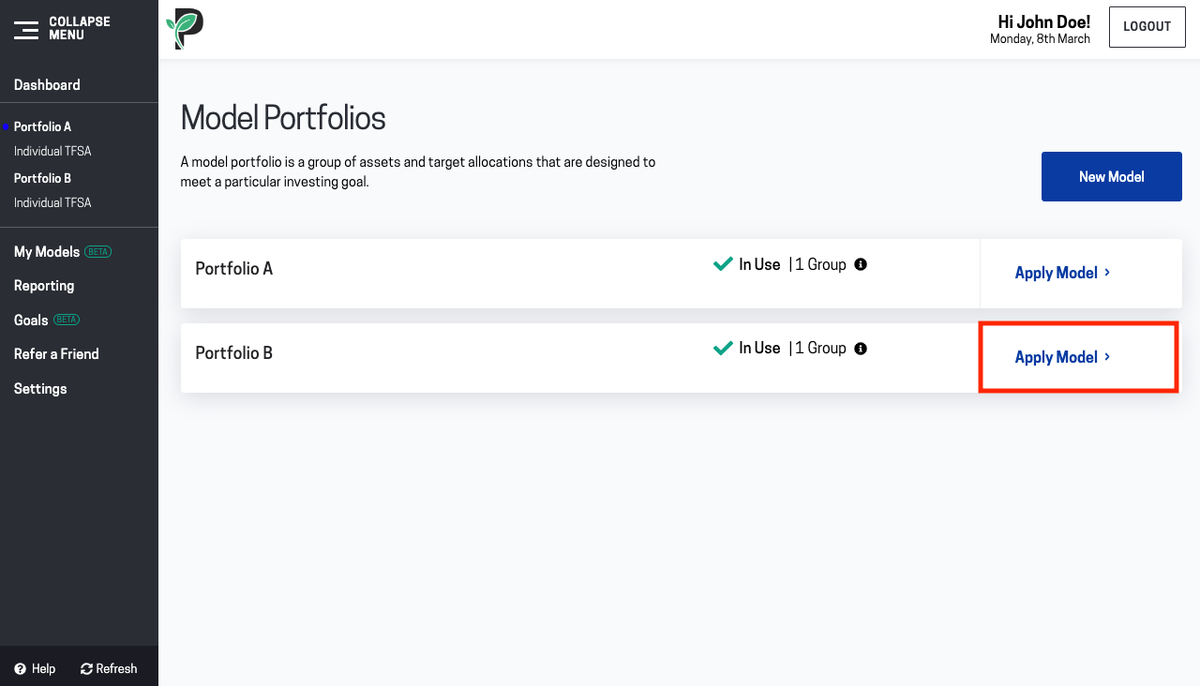
Click Apply Model on the Model you want to apply.

Option 2:
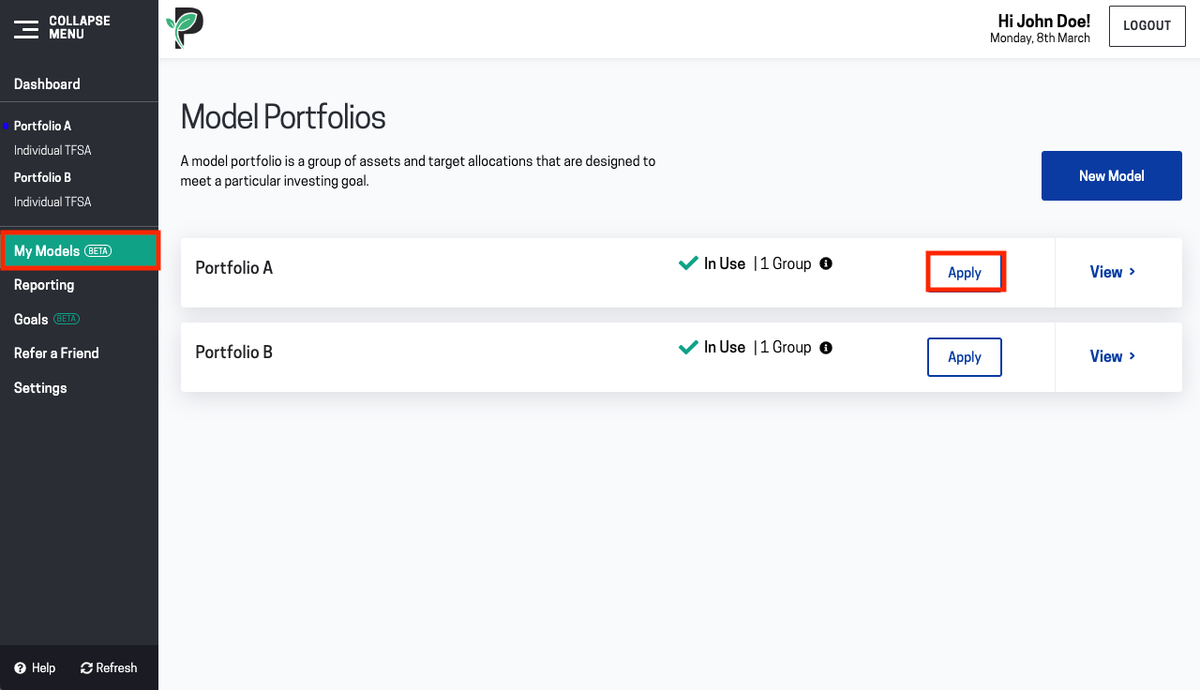
Go to My Models. Click Apply on the Model you want to apply.

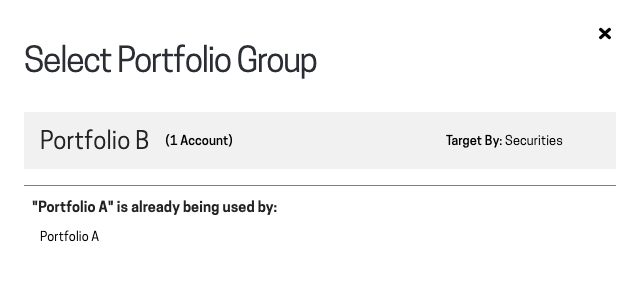
Select the portfolio group you want to apply the Model to.

Create a New Model
Go to My Models. Click on New Model.
Add assets and assign a percentage allocation to them. Press enter to add the line to your model.
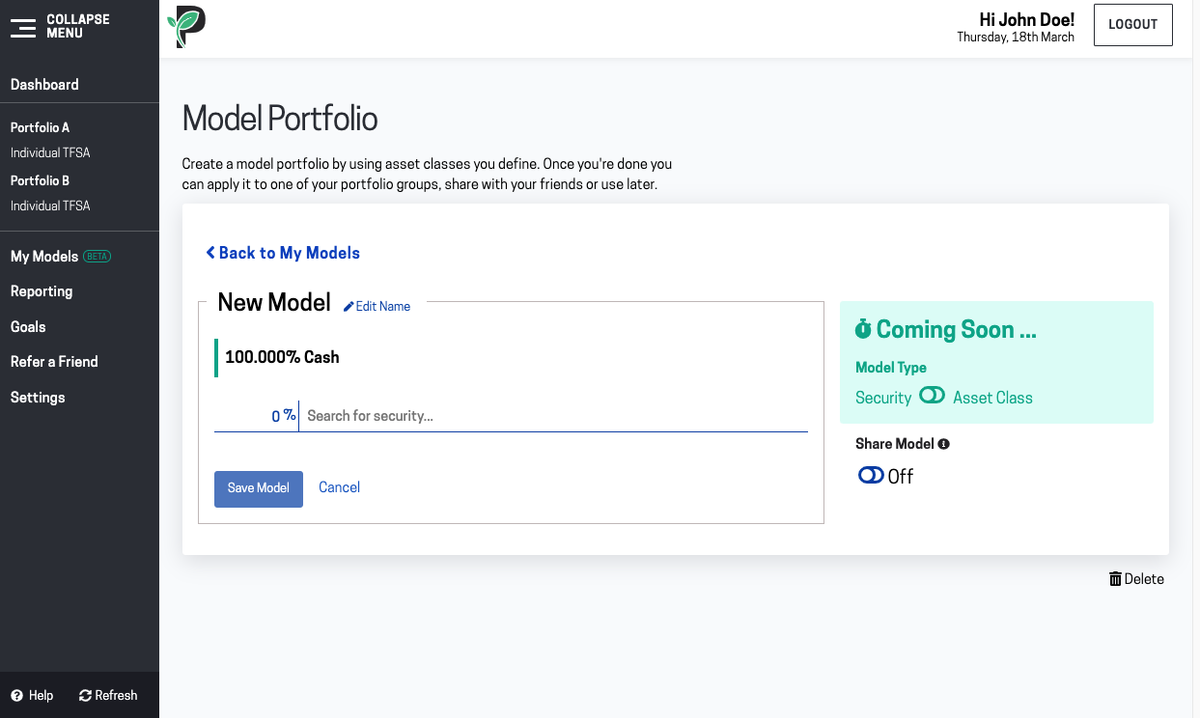
When you are done click Save Model.