
How to Use Manual Trades
Manual Trade is an Elite feature that allows you to place a single trade within Passiv. To be able to use this feature, your accounts need to have trade access enabled.
Whether you have a few excluded assets that you want to trade outside of your balanced portfolio, or you just want to do a customized trade rather than Passiv's recommended trades, Manual Trade can help!
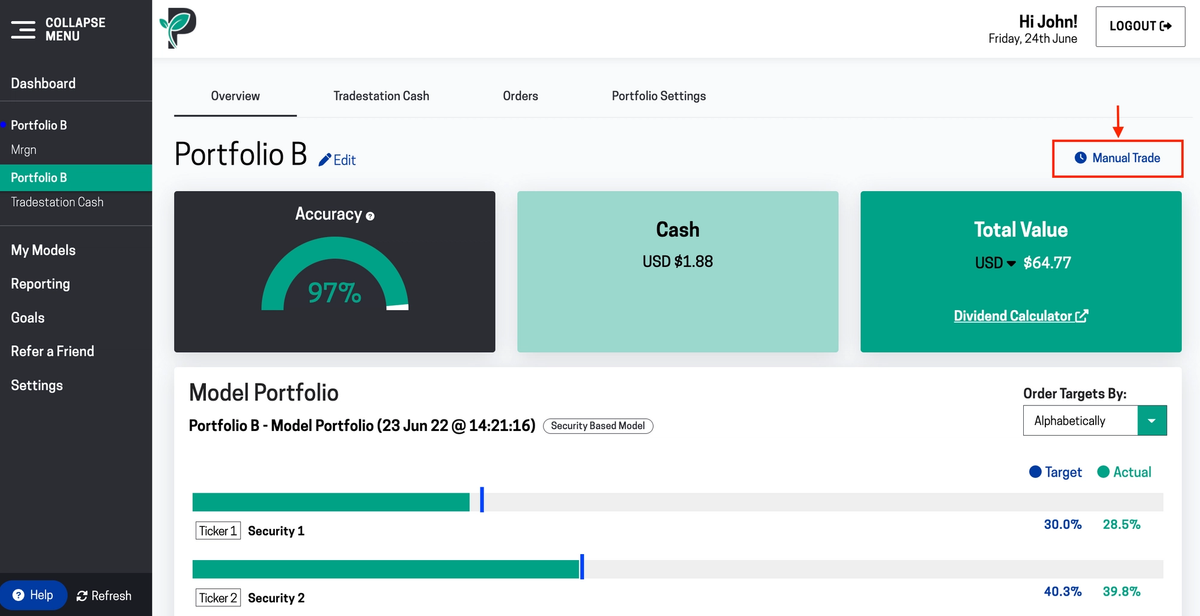
In the Portfolio, or Account you want to place the trade in, click on Manual Trade.

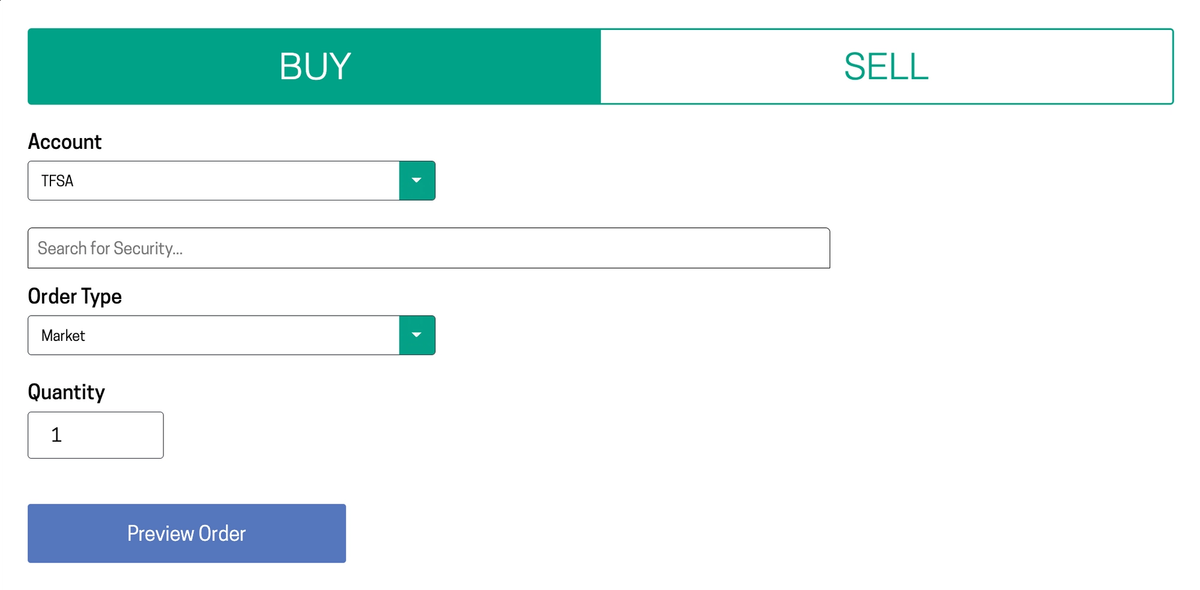
Select BUY or SELL, then the Account, Security, Order Type (Market or Limit), Quantity, and Duration and Limit Price (if it's a limit order).
Click Preview Order, and then Confirm.

Always verify your trades before placing them